01
Connect the equipment you actually have
MQTT, OPC-UA, SQL, Modbus, Open Protocol, IPC-CFX, IPC-HERMES-9852, REST, watched folders, cameras and serial machines over TCP bridges.
STANDARD + LEGACY SOURCESUNS Navigator turns structured plant data into live operator surfaces, explainable alerts, retained context and secure data products that people and AI agents can use.
RUNS LOCALLY · NO PHONE-HOME · READS YOUR PLANT, NEVER CONTROLS IT
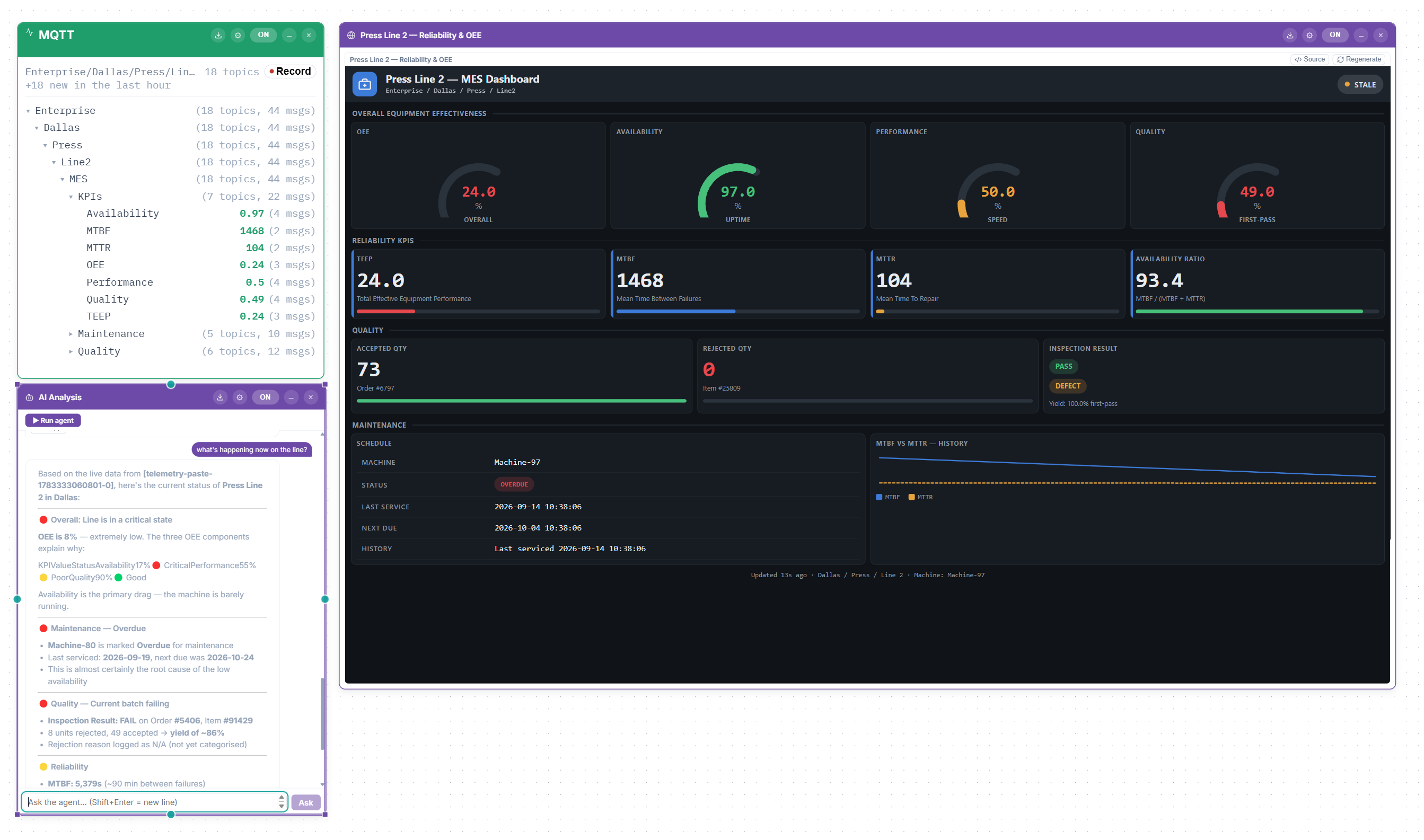
The broker is online. Topics are structured. Data moves cleanly between systems. Then the project stalls, because a raw topic tree still means little to an operator, quality engineer or maintenance team.
The usual patch is another custom layer: scripts, dashboards and reporting projects that become technical debt as soon as they ship.
The walkthrough follows the full path: industrial sources, a controlled visual canvas, plant topology, explainable detection, operator dashboards and secure AI-callable outputs.
Place sources and functional blocks on a canvas, then wire them together. The same structure drives what people see, how data moves and exactly what an agent can reason over.
MQTT, OPC-UA, SQL, Modbus, Open Protocol, IPC-CFX, IPC-HERMES-9852, REST, watched folders, cameras and serial machines over TCP bridges.
STANDARD + LEGACY SOURCESTyped asset models, process flowcharts, relationships and curated knowledge turn flat values into a contextual model of the operation.
CANVAS + TOPOLOGY + KNOWLEDGEGenerate operator apps, expose stable REST endpoints and publish selected pipeline results as tightly scoped MCP tools.
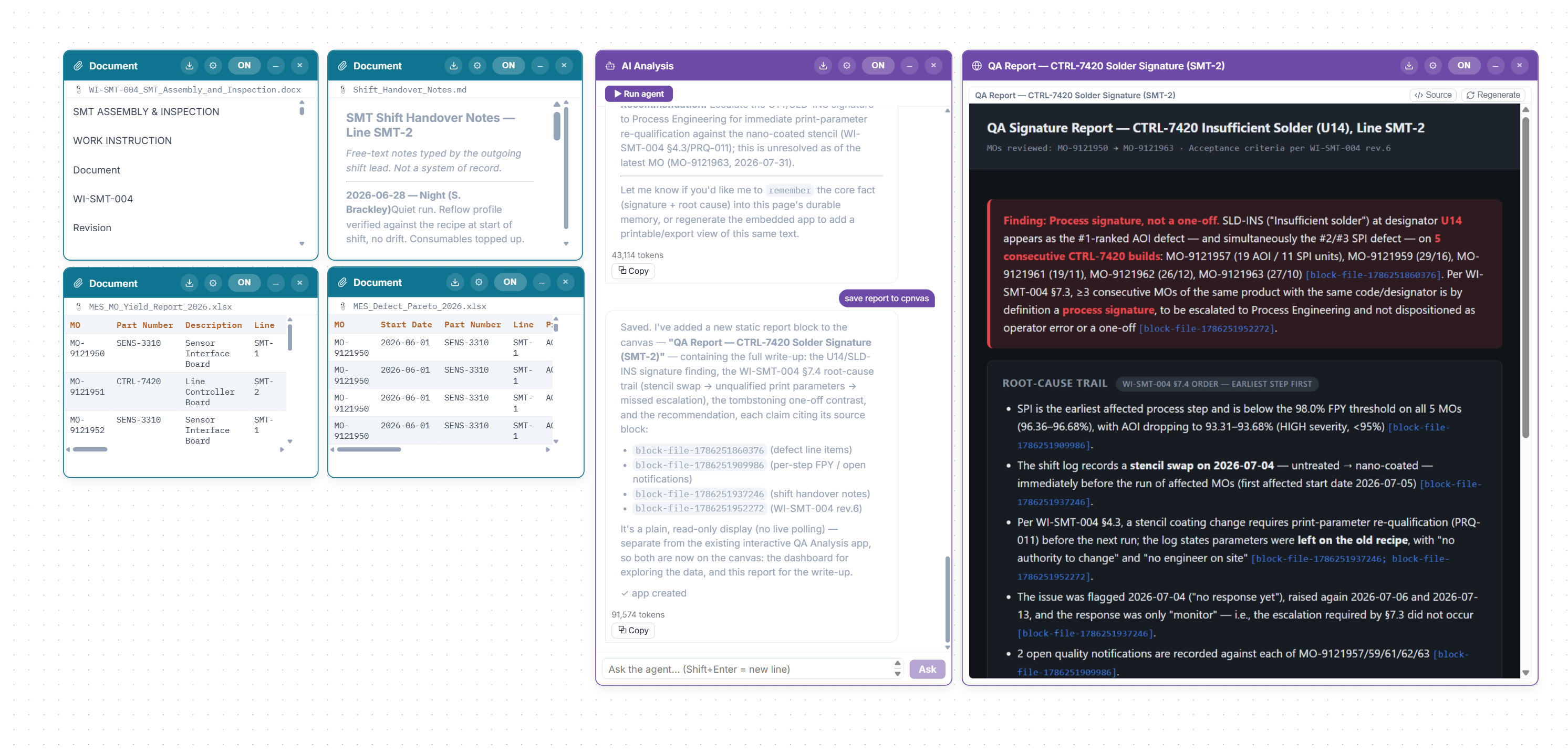
HUMAN + MACHINE READABLEAn agent can read a block only when it is enabled, configured and inside its scope. Reports list the blocks used and cite the source behind factual claims.
A raw MQTT hierarchy tells you where a value lives. It does not explain what feeds what, where a process branches or which asset and procedure give that value meaning.
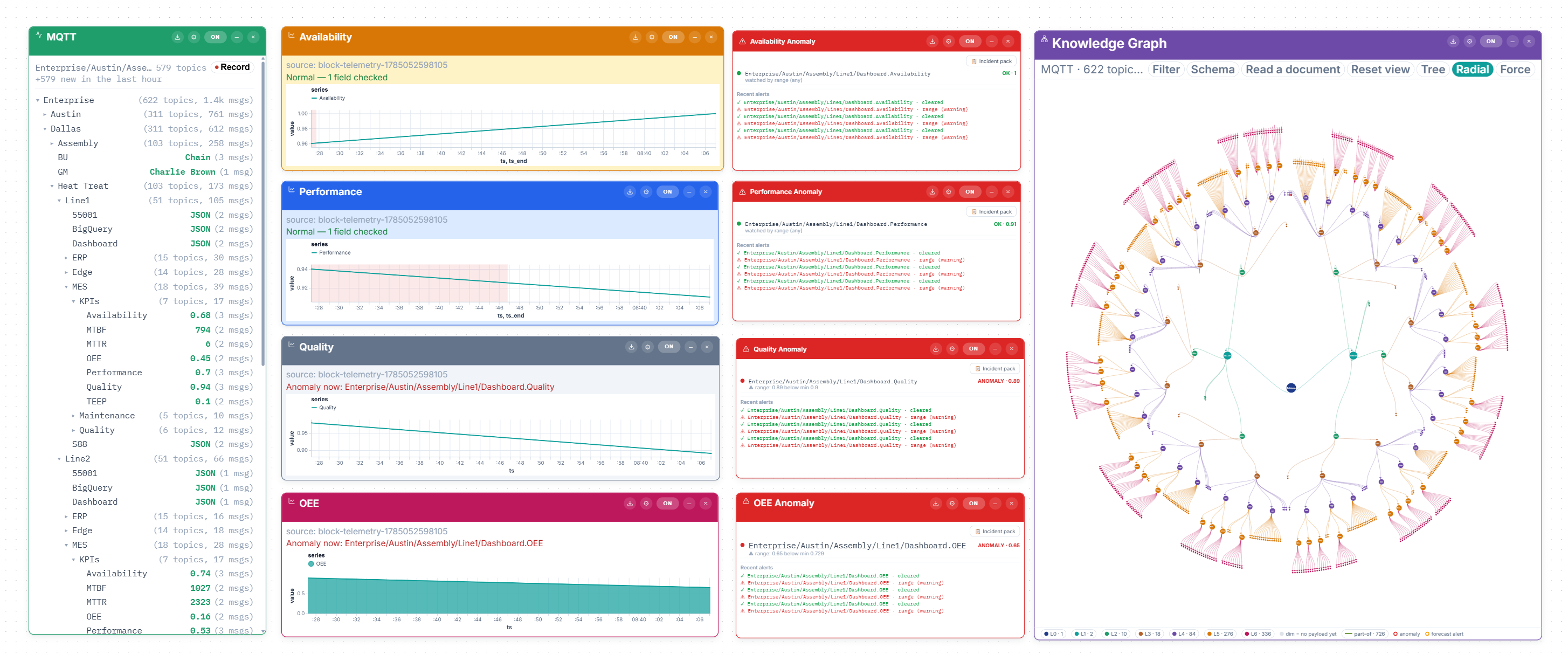
Detection reports the method, field, value and threshold behind every verdict. Forecasting projects when a trend will cross a target, and refuses to invent an answer when the signal cannot support one.
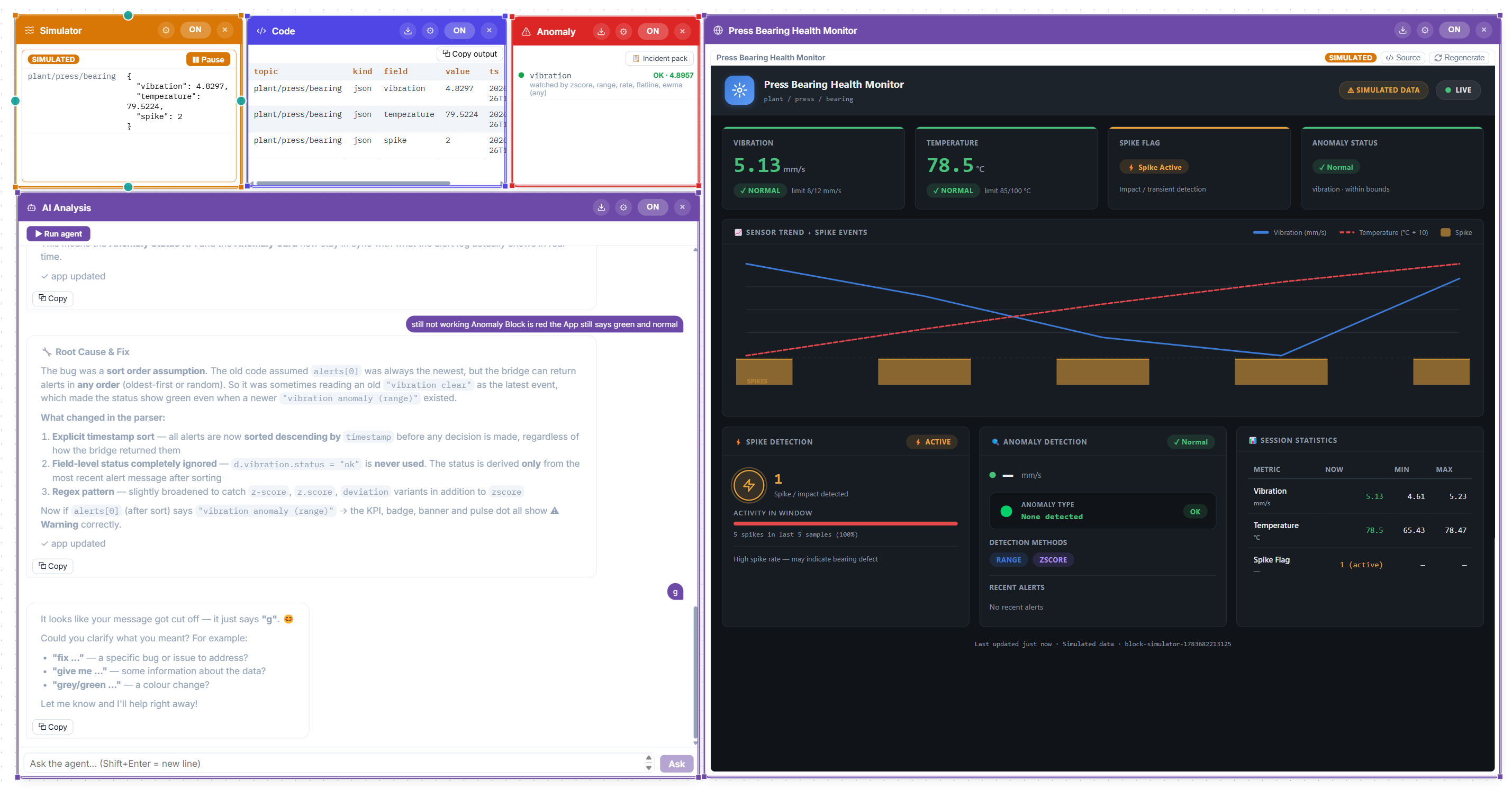
Generate realistic JSON telemetry locally, inject faults, record a stream once and replay it at your desk. Build the pipeline and operator surface before touching a production broker.
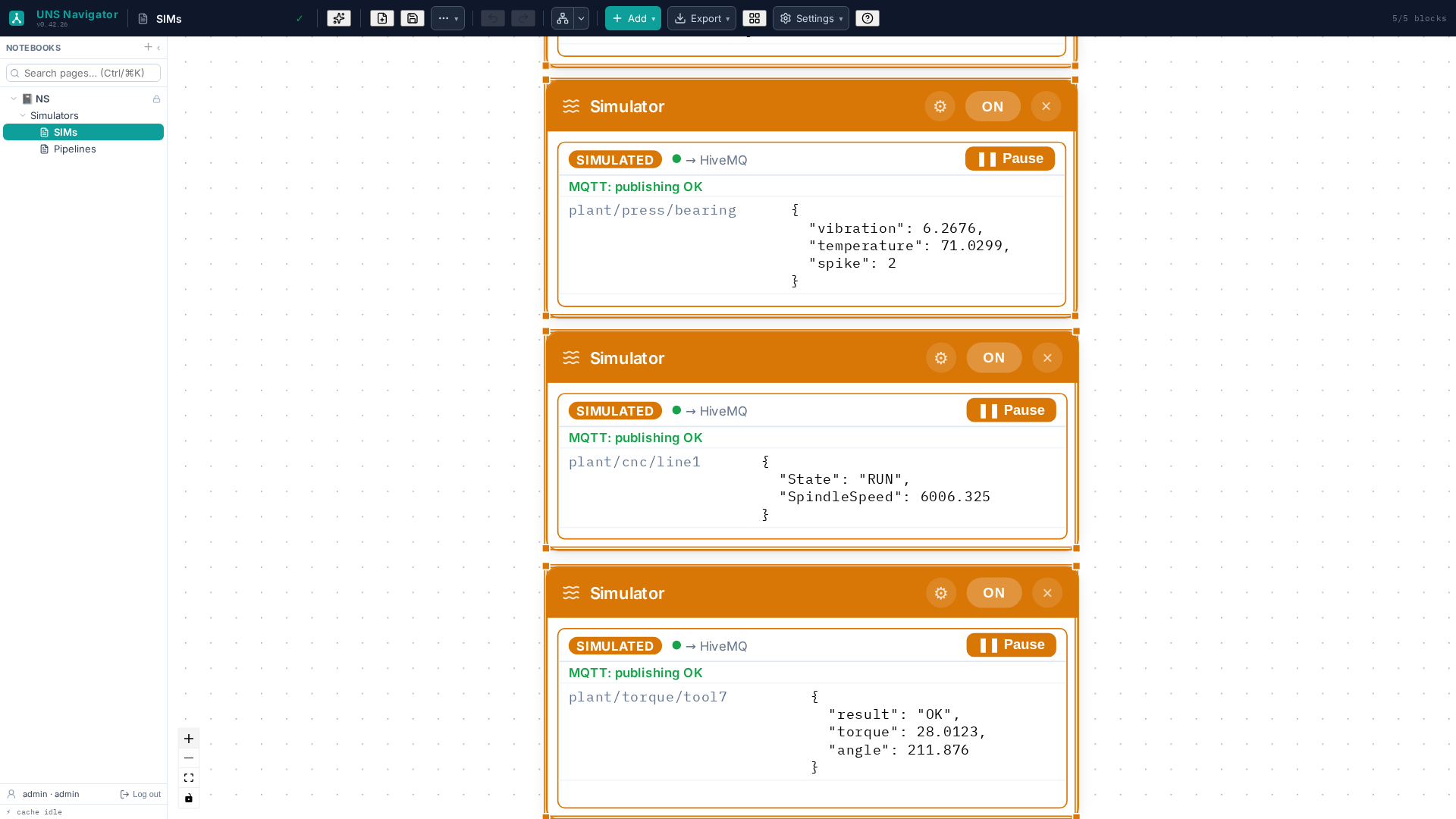
A screen is useful to a person. A governed data product is useful to everything else. Any pipeline result can serve the same stored output through REST and, with one controlled setting, as an MCP tool an authorised AI assistant can call.
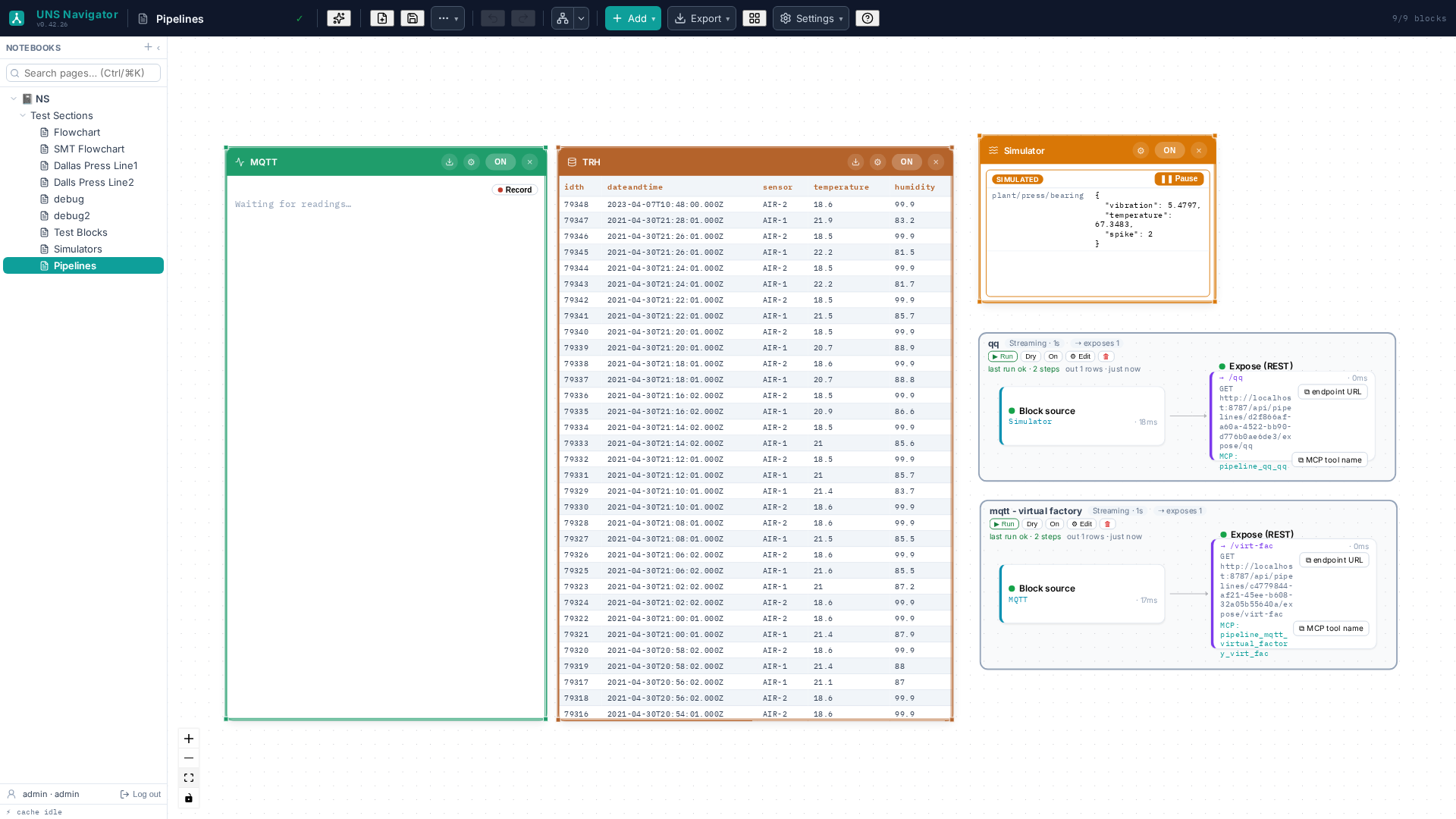
UNS Navigator carries context from the live signal to the operator, the historian, the knowledge behind it and the systems that consume the result.
Define an asset contract once, bind fields to mixed sources and reuse the same apps and detectors across instances. Historise selected sources in TimescaleDB with retention, compression and rollups.
Add typed relationships and operator notes, then turn SOPs, work instructions and manuals into cited proposals. A person accepts every addition.
Generate dashboards from curated pages, collect them in an App Hub and run a fullscreen rotation for control-room displays.
Capture station images, define a known-good view and turn visual checks into ordinary telemetry verdicts that can alarm, trend and historise.
Local accounts, Windows / Active Directory and Microsoft Entra sign-in, with server-enforced viewer permissions plus separate audit and activity logs.
Run manually, on a schedule, from a stream or from events. Dry-run traces each step and stubs sinks before anything leaves the workspace.
UNS Navigator is additive. Plant-facing connectors read existing systems, while deliberate egress remains narrow, named, deny-by-default and auditable.
Deploy the Navigator container with optional TimescaleDB history and FalkorDB graph services. Licensing uses offline signature verification and does not require a cloud account or phone-home connection.
Verified on x86-64 and ARM64, including compact cabinet-level hardware. Local AI through Ollama keeps inference inside the facility when required.
No licence key, account or internet connection is needed to evaluate the full product. When the trial ends, the workspace becomes read-only instead of deleting data or disabling deployed apps.
No. It connects to your broker. The built-in simulator can also generate realistic industrial streams when no broker or plant connection is available.
No. It reads and connects them, then provides the working layer above. Selected sources can also use the optional TimescaleDB historian.
No. Plant-facing source connectors do not write to PLCs or source SQL databases, and the product has no direct equipment command path. Deliberate egress paths such as MQTT publish, notifications and supported approved tools are separate, narrow and controlled.
A block must be enabled, configured and inside the agent's scope. Each gate can narrow access but cannot widen it. The resulting report lists the blocks it used.
Yes. Simulators generate realistic streams without a broker, and recorded streams can be replayed for development, demonstrations and operator training.
Yes. Documents can produce proposed relationships and notes with page-and-sentence citations. A person reviews each proposal before it enters the plant knowledge graph.
An exposed pipeline result can become a read-only MCP tool, allowing an authorised AI assistant to query a curated plant result without receiving direct access to its underlying broker or database.
No. It can run and validate its licence offline. Local inference through Ollama is also supported for deployments where plant data must remain inside the facility.
A Docker-capable host. UNS Navigator is verified on x86-64 and ARM64, including compact hardware suitable for line-level deployment.